Work Smarter, Not Harder in eBooks
- By Lisa Meaney
- In Coding
- November 1, 2024
- Comments Off on Work Smarter, Not Harder in eBooks

Store all your custom notes, bookmarks, and flashcards in Bookshelf’s Workbook.
AAPC’s electronic code books (eBooks) offer users a host of interactive features that allow quick and easy access to the codes and guidelines needed for proper billing of healthcare services. One such feature is the Workbook, which stores annotations (highlights and notes), bookmarks, and flashcards all in one convenient location.
Take Note
In Bookshelf, click the icon in the upper right corner of your eBook to open the Workbook window. By default, annotations display first. Here, you can see all the notes and highlighted content throughout the eBook (see Figure 1a), or you can filter by highlight color or highlights with note (see Figure 1b). Simply click a highlight color to see only the annotations assigned to that highlight color.

This ability to filter highlighted content in your eBook is especially useful if you create a color-coding system for your annotations. For example, you might use a pink highlighter for current year changes; an orange highlighter for important guidelines; a yellow highlighter for chapter-specific guidelines; and a green highlighter for things you need to remember for your next certification exam. Any notes you make in the eBook display under the associated highlight color in the Workbook, or you can click the Highlights With Notes button to display only highlighted content that include notes.
Save the Page
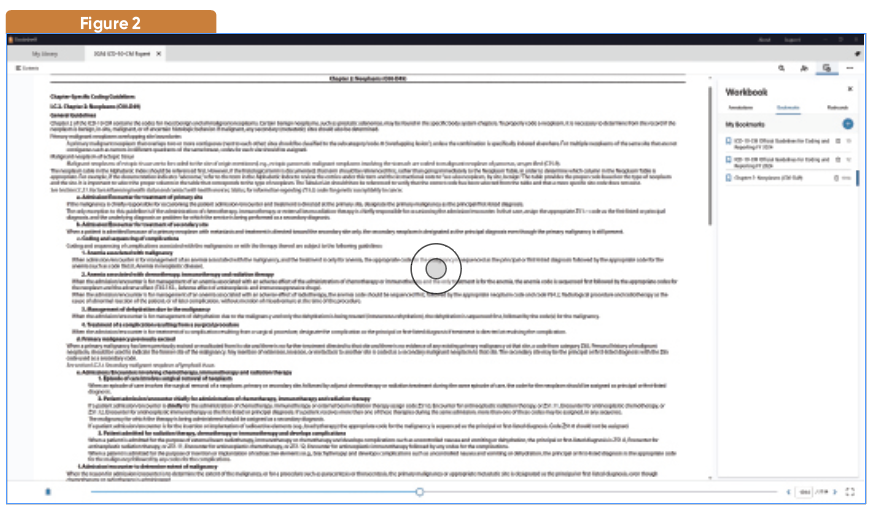
Click on Bookmarks in the Workbook window to see all the pages you have saved within your eBook (see Figure 2). Choose any bookmark to jump directly to that page in the eBook.
Study the Savvy Way
You can also create and store flashcards in your eBook via the Workbook window. Flash cards are organized by deck, searchable, and optimal for exam prep. Creating and using flash cards is an art in and of itself, so we will discuss this feature separately in the January 2025 issue of AAPC the Magazine.

- Using Your eBook for Exam Prep - January 2, 2025
- Use Your HCPCS Level II Code Book Like a Pro - December 2, 2024
- Work Smarter, Not Harder in eBooks - November 1, 2024


