Codify by AAPC has upgraded the Notepad feature, restructuring it as a searchable repository that consolidates custom notes, uploaded files, personal code notes, and article notes in one convenient space.
This enhancement provides you with a more organized personal workspace. Organizations with business licenses now also have one central place to manage their internal policies and notes. This easy access supports consistency and efficiency across your team, from the newest member to the most senior veteran.
Don’t miss: Anything you previously added to Notepad is still available. Those notes have been moved into your Favorite Codes, and you can search for them in Notepad.
Meet your new 4-section Notepad
You will see four main areas in the redesigned Notepad.
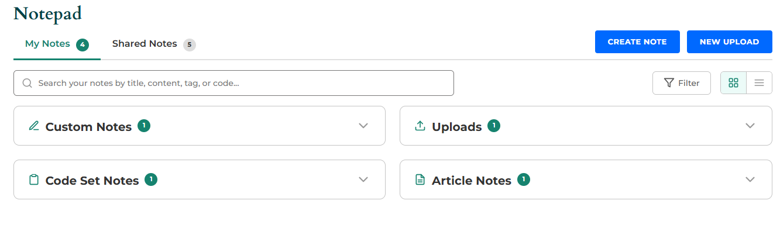
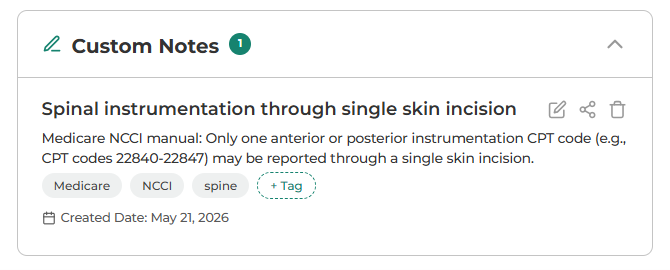
Custom Notes: Click the blue Create Note button to create free-form notes directly in Notepad. Use these for internal reminders, coding guidance, team workflows, payer-specific details, or anything you want to document outside of a specific code page or article.
When creating a custom note, you can add your note content, apply tags, and embed codes as references using Smart Search (more on that later). This makes the note easier to connect back to the codes your team works with most often.
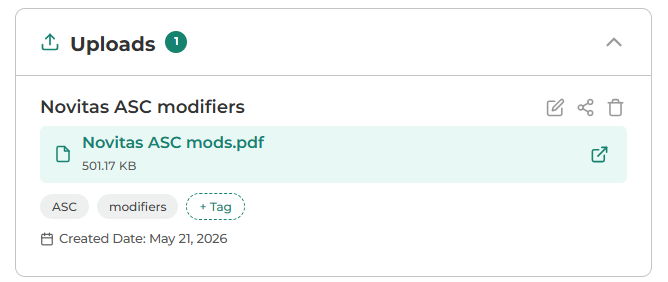
Uploads: Add documents directly into Notepad by clicking the New Upload button. Uploads can include policy documents, internal SOPs (standard operating procedures), payer guidance, spreadsheets, PDFs, Word documents, images, or other supporting files. You can drag and drop files, upload multiple documents at the same time, and apply tags to find those files later.
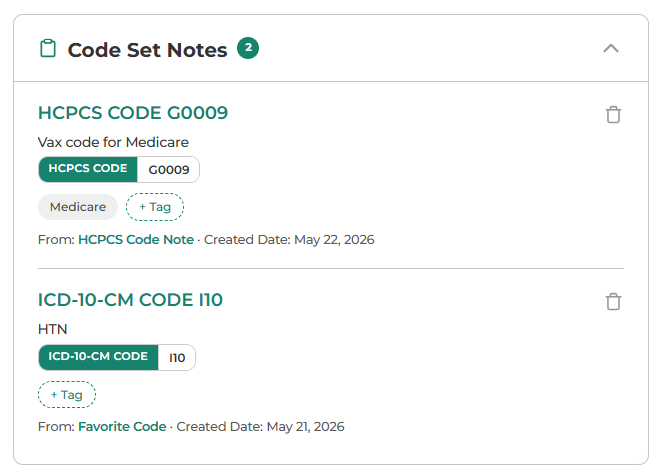
Code Set Notes: View notes you’ve added to code detail pages and Favorite Codes. Under each note, you’ll see its source, such as HCPCS Code Note for a personal note from a code page or Favorite Code for a note added when saving a code to your Favorite Codes list.
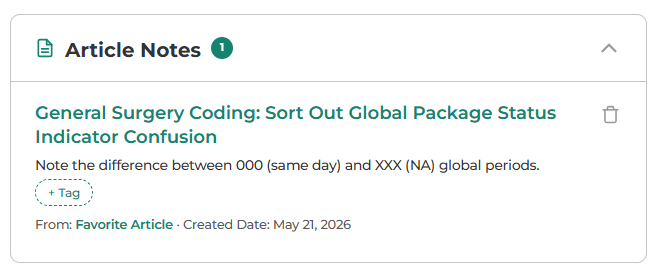
Article Notes: Access notes connected to favorite articles. Depending on your subscription, this may include articles from CPT® Assistant, Coding Clinics, Revenue Cycle Insider, or other articles available in Codify.
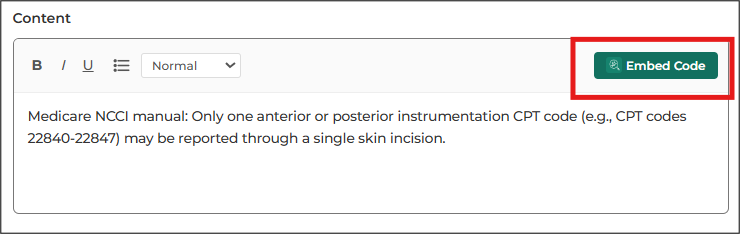
Here’s how to embed codes in custom notes
You can add links to Codify code pages in your Custom Notes. To add a link, click Embed Code while creating or editing your Custom Note. Smart Search will open.
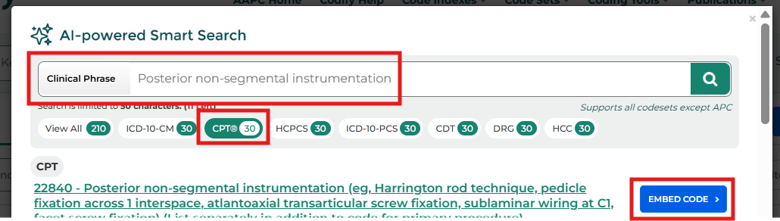
In the new window, enter a phrase or code in the search box. Select the relevant code set. Click Embed Code next to the correct code.
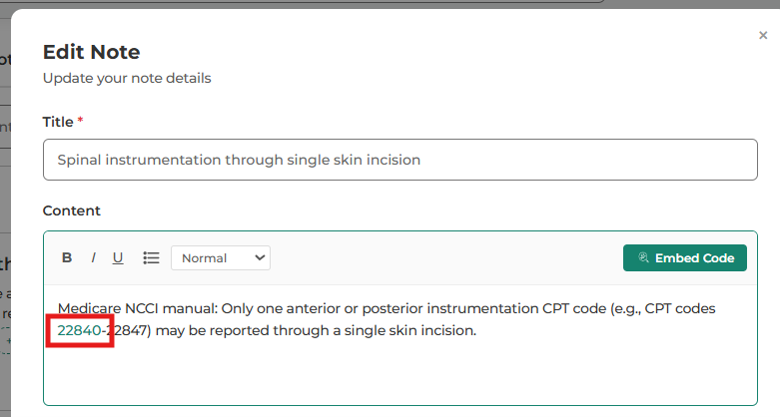
The code will then appear as a link in your note. You can move the code within the note if needed.
Make the most of search and tags
Search: The upgraded Notepad allows you to search across title, description, tags, and code references. For example, searching a term can return notes where that term appears in the title, in the note content, or as a tag.
That means you no longer need to remember exactly where a note was created. If the information exists in Notepad, search can help you find it.
You also can filter your Notepad to make it easier to see the items you want to see.
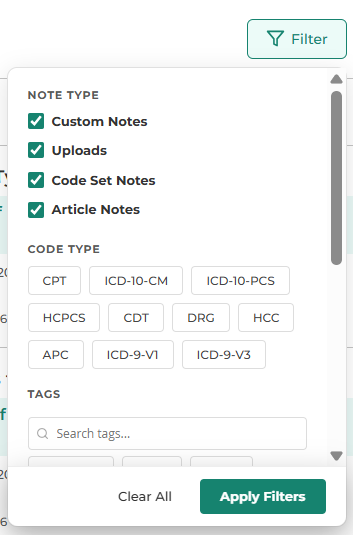
Tags: You can add tags to notes and uploads so your team can organize information by topic, specialty, payer, workflow, or internal category. For example, a team might use tags like E/M, Cardiology, HCC, Guidelines, Payer Policy, or Internal SOP.
Using consistent tags makes it easier for coders and managers to find the right guidance quickly.
Share best practices with your team
If your organization uses Codify under a business license, you can share notes and uploads. That means your organization can use Notepad as one central place for shared guidance and reference materials.
For example, a coding manager could create a note summarizing updated E/M guidance, tag it with E/M and Guidelines, and share it with the organization. Once shared, coders can access that guidance directly in Codify instead of relying on an email, meeting notes, or a file stored somewhere else.
Your organization will benefit from having important institutional knowledge stay in the system instead of living only in someone’s inbox or memory. And new coders can access the team’s shared notes and reference materials from day one, speeding the onboarding process.
Final note: Tools and data available may vary based on your Codify package. These sharing features do not apply to individual subscriptions and are available only to users on a Codify business license who are part of an organization.