Feature update: Favorite Codes list now offers easier access to personal notes and code details
Don’t miss the latest update to Codify by AAPC by AAPC’s Favorite Codes feature. Now you can easily see your personal notes and get important official code details, too. Here’s how.
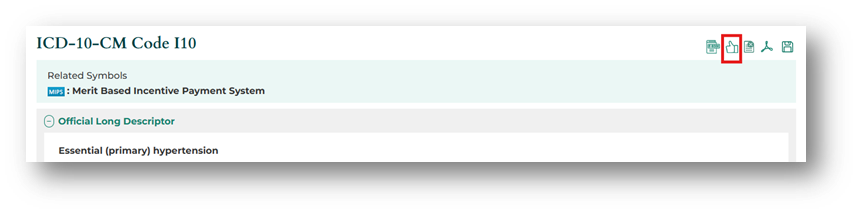
Add a Favorite Code: If you don’t already have a Favorite Codes list, now is the time to start. On a code details page, click the thumbs up icon on the top right to add a code to your Favorite Codes list.
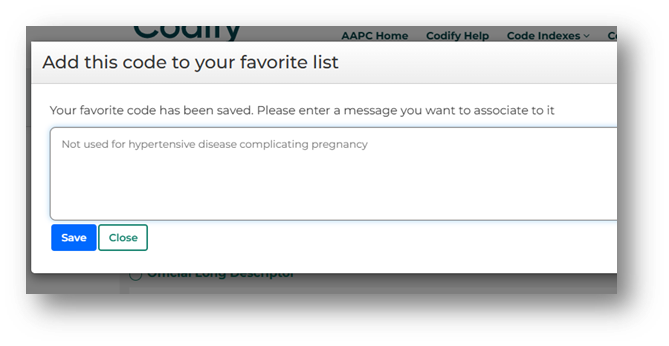
Add a note: A popup will open where you can add a note related to the code. You may add a note and click Save, or simply click Close if you don’t want to add a note at this time.
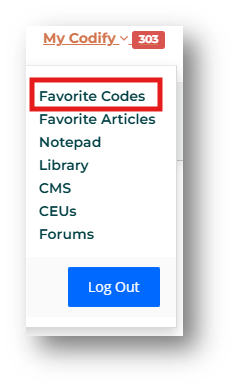
Access your list: Select My Codify by AAPC/Favorite Codes from the top menu.
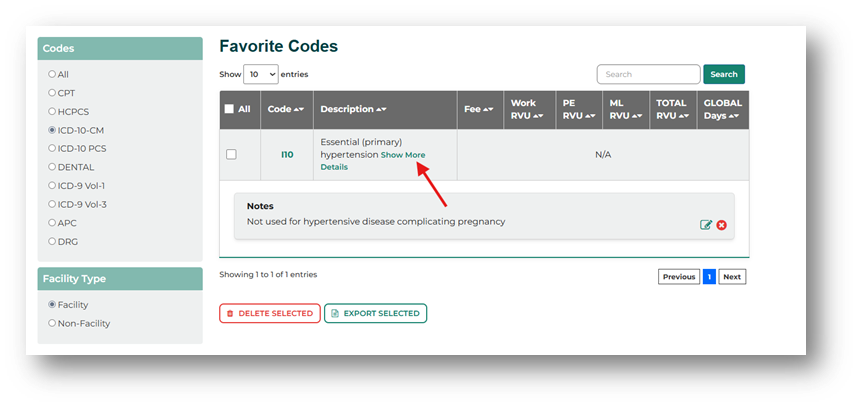
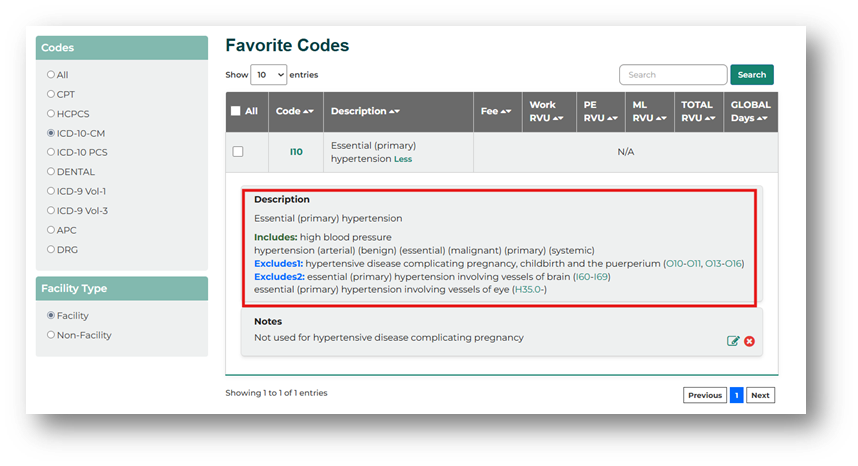
View your list, notes, and details: On the Favorite Codes page, you can select the code set and whether to view facility or nonfacility RVUs in the left side menus. Search your favorite codes using the bar on the top right, delete or export selected codes using the buttons at the bottom, and edit notes in the Notes box. In the Description field, click Show More Details for additional information. Details will vary by code set, such as seeing the full descriptor for CPT® codes or seeing Includes and Excludes notes for ICD-10-CM codes.
Remove a code: You can remove a code from your Favorite Codes list either by selecting the code and clicking Delete Selected at the bottom of the Favorite Codes page, or you can click the thumbs up icon on the code details page.

Have ideas for more enhancements? Select Codify by AAPC Help from the top Codify by AAPC menu and complete the form to tell us what tool upgrades would make your job easier.