Codify has added a new feature in the real-time scrubber for CMS-1500 claims. You now can check for potential conflicts between the codes and the patient’s gender. Mismatches can cause denials, so it’s crucial to catch these errors before you submit your claims.
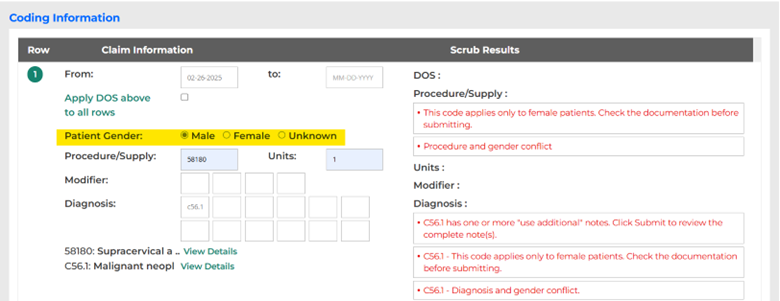
Here’s how: In the CMS-1500 scrubber, go to the new Patient Gender field (highlighted in yellow below) and select Male, Female, or Unknown. In the Scrub Results on the right, watch for warning messages as you enter the codes. In the example below, the patient gender is marked as Male, and the Scrub Results warn you that hysterectomy code 58180 and ovarian neoplasm code C56.1 apply only to female patients.
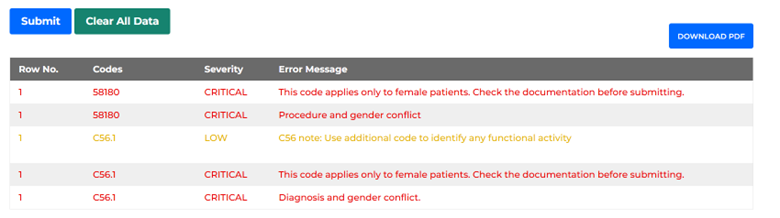
Tip: After you hit Submit on the CMS-1500 scrubber, you will see the warning messages at the bottom of the tool, as well.
Note: Tools and data available may vary based on your Codify package. The CMS-1500 scrubber is available with Pro Fee Coder and Complete Coder.