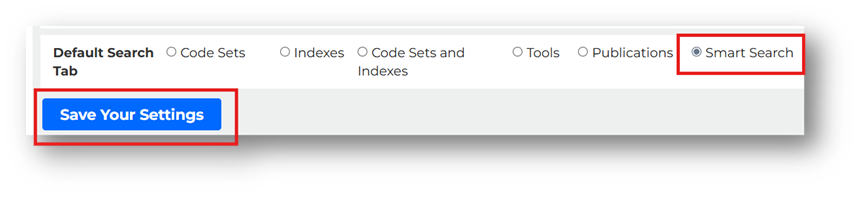
After the addition of Codify’s new AI-powered Smart Search, many users wanted to make it their default search tool. We have now added that option. Here’s how to set your search preference.
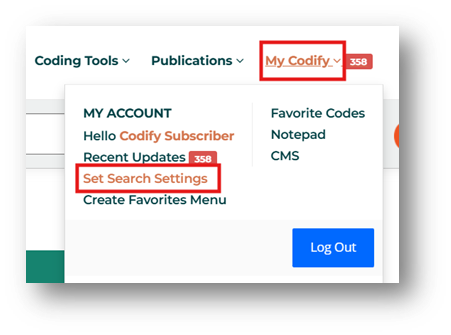
After you log in to Codify, select My Codify/Set Search Settings in the top menu.
Scroll down to Default Search Tab. Select Smart Search. Be sure to click Save Your Settings to apply your preferences.